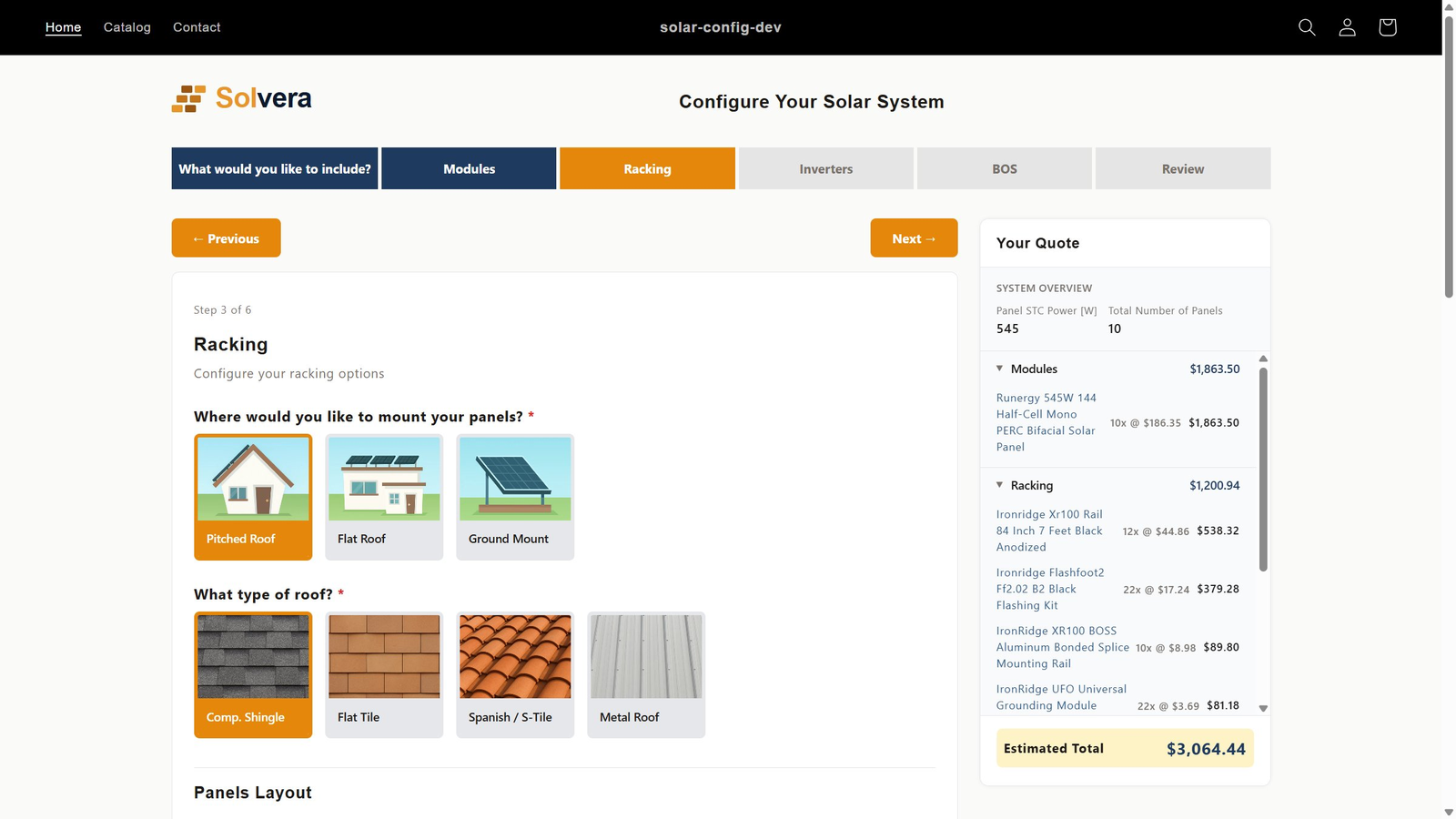
Solvera is a solar configurator built natively for Shopify. It installs as a theme app block, reads from your existing Shopify catalog, and checks out through native Shopify cart. No headless build, no separate quoting portal, no developer. Made for solar distributors and resellers already running their store on Shopify.
Bolt-on quoting tools send customers to a separate portal, break your branding, and need a second checkout. A Shopify-native configurator keeps the whole flow on your storefront, where your catalog, branding, and checkout already are.
Add Solvera from the Shopify App Store and drop the configurator onto any page from the theme editor. No theme code, no headless setup, no developer. See getting started.
The configurator pulls panels, inverters, racking, and BOS straight from your Shopify products. Prices, images, and inventory stay in sync because they come from Shopify, not a copy.
Customers add a configured system to the standard Shopify cart and check out the way every other order on your store is placed. No second payment system to set up or reconcile.
Because it renders on your storefront, the configurator inherits your theme. Customers never leave your domain or hit a portal that looks nothing like your store.
Solvera is a Shopify app. It uses Shopify's own building blocks rather than bolting a third-party portal onto your store.
theme app block to embed the configurator on any page, no theme code edits
separate checkout: customers pay through native Shopify cart and checkout
prices, images, and inventory read directly from your Shopify products
Because Solvera is a native Shopify app, the pieces you already know keep working. Discounts, customer accounts, and order management are not bypassed by a third-party portal.
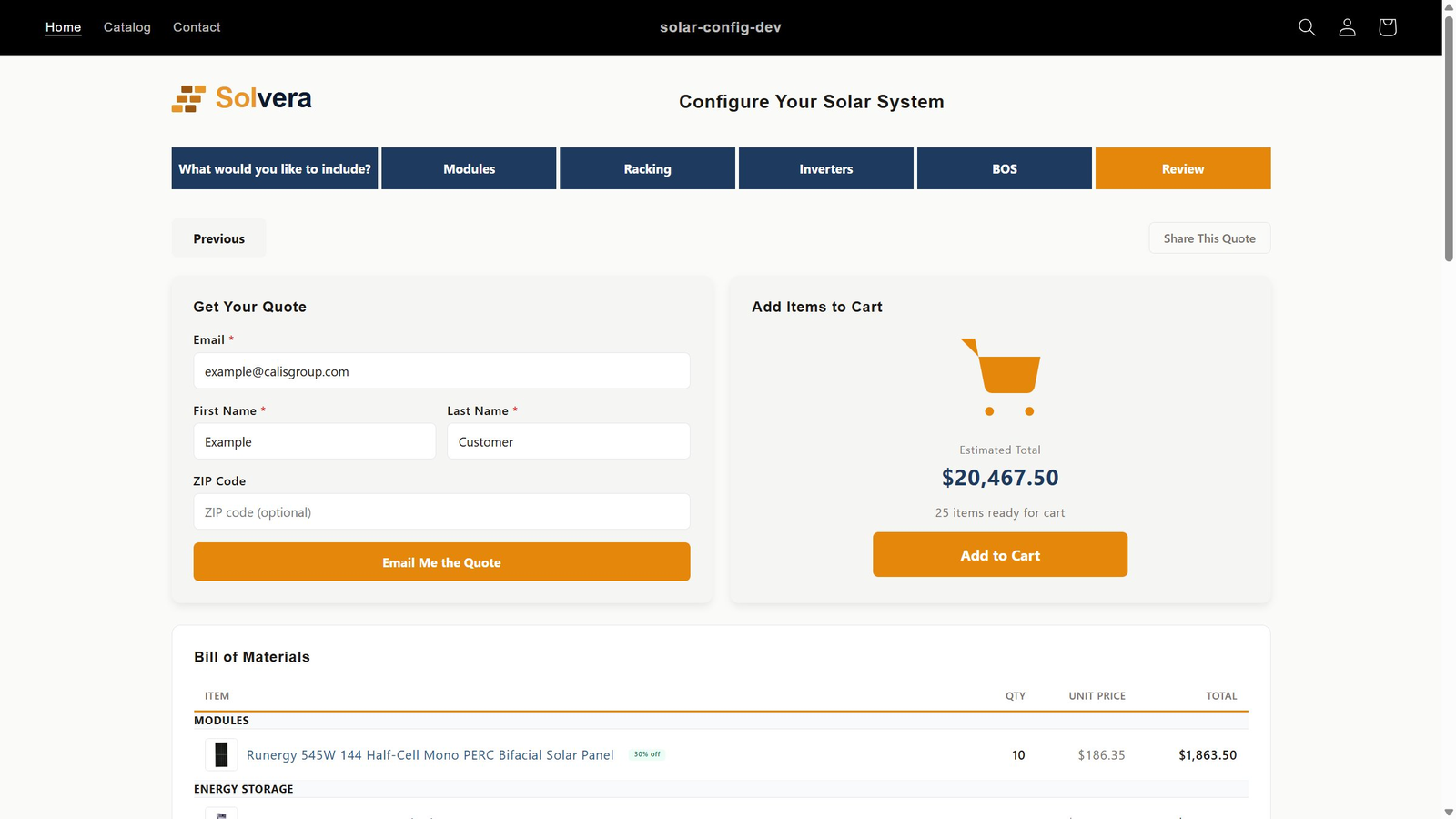
A finished configuration becomes a real Shopify cart. That means your existing checkout, payment providers, taxes, and order workflows apply without special handling. Customers can also email the quote or share a link, but when they are ready to buy, it is ordinary Shopify checkout, not a parallel system you have to maintain.
See how it works in Quotes and sales mode.
Solvera is for solar sellers who chose Shopify and want quoting to live there too, not in a bolted-on tool.
You could assemble solar quoting on Shopify from custom code and generic apps. Here is what that takes versus a native solar app.
| Capability | Generic configurator | Solvera |
|---|---|---|
| Setup | Custom dev or headless build | Theme app block, no code |
| Solar rules | You build and maintain them | Built in and maintained |
| Catalog | Synced or duplicated by hand | Reads Shopify products directly |
| Checkout | Often a separate portal | Native Shopify checkout |
| Branding | Breaks on third-party pages | Inherits your theme |
| Time to live | Weeks of integration | Days |
You add it from the Shopify App Store, then embed the configurator on any page using a single theme app block in the theme editor. There is no theme code to edit and no headless build.
Yes. The configurator reads panels, inverters, racking, and BOS from your Shopify catalog, so prices, images, and inventory stay in sync with what you already maintain.
A configured system is added to the native Shopify cart and checks out through your normal Shopify checkout. There is no separate payment system to set up.
No. Solvera is a standard Shopify app installed through the App Store and configured through the admin and theme editor. No custom development is required.
Yes. Because the configurator renders on your storefront as a theme block, it inherits your theme styling, and customers stay on your domain throughout.
Solvera works on standard Shopify plans. You install it like any other app from the Shopify App Store. See the pricing page for Solvera's own plan tiers.
More in the full FAQ, the calculations and formulas guide, and the product catalog docs. See pricing for plan details, or the solar software overview for how Solvera's configurator, quoting, and system builder fit together.
Solvera installs as a Shopify theme block and is live on the Shopify App Store. Install it on your store and start with a 30-day free trial.
Install on the Shopify App StoreAsk Solvera
Answers about the product, pricing, and setup